
 }
}

A Complete Guide to Next.js Server-Side Rendering Implementation

Praveen Kumar

Contents

- What is Server-Side Rendering (SSR)?
- Why Use Server-Side Rendering?
- Key Concepts of Next.js Server-Side Rendering
- 1. getServerSideProps
- 2. Dynamic Routing
- 3. Middleware
- 4. API Routes
- Implementing Server-Side Rendering in Next.js
- Step 1: Set Up Your Next.js Project
- Step 2: Create a Page with SSR
- Step 3: Fetching Data
- Step 4: Testing Your Implementation
- Step 5: Deploy Your Application
- Benefits of Using Next.js for SSR
- Conclusion
Technology. Insights. What's Next.
Discover insights on AI, software, cloud, digital transformation, and emerging technologies shaping the future of business.
Share


Implement Next.js server-side rendering to improve your web and nextjs mobile app's performance. Modern web development requires SSR as a crucial element.
It provides numerous advantages in terms of productivity, SEO, and user experience.
This guide focuses on implementing server-side rendering in Next.js, highlighting its benefits, core concepts, and practical implementation steps.
What is Server-Side Rendering (SSR)?
Server-side rendering refers to rendering a web application on the server instead of the client. In reaction to a user’s request for a page, the server handles the request, creates the HTML content, and then sends it to the client.
This approach contrasts with client-side rendering, where the browser dynamically downloads a minimal HTML page and JavaScript to render the content.
Why Use Server-Side Rendering?
Improved SEO: Search engines can easily crawl server-rendered pages, making them more indexable than client-rendered pages. This is particularly important for businesses relying on organic search traffic.
Faster Initial Load: Users receive a fully rendered page on the first request, leading to quicker perceived load times. This is crucial for retaining users and reducing bounce rates.
Improved Performance: SSR can reduce the overall JavaScript bundle size delivered to the client as the server handles rendering. This leads to improved performance on slower devices and networks.
Key Concepts of Next.js Server-Side Rendering
Next.js provides several functions and concepts to facilitate server-side rendering:
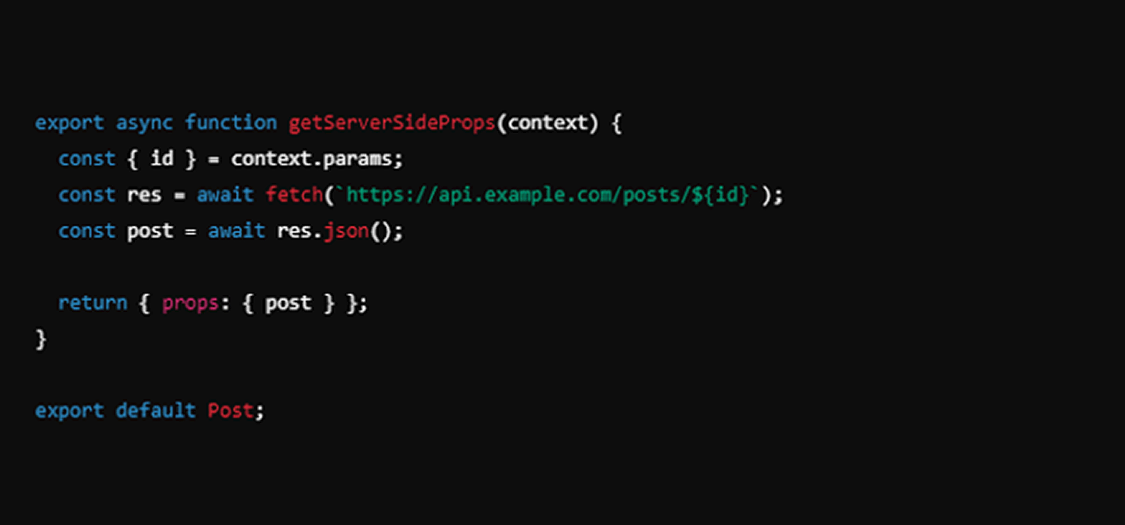
1. getServerSideProps
This function lets you obtain data on the server before the page is rendered. It runs on each request, making it ideal for dynamic content that changes frequently.
2. Dynamic Routing
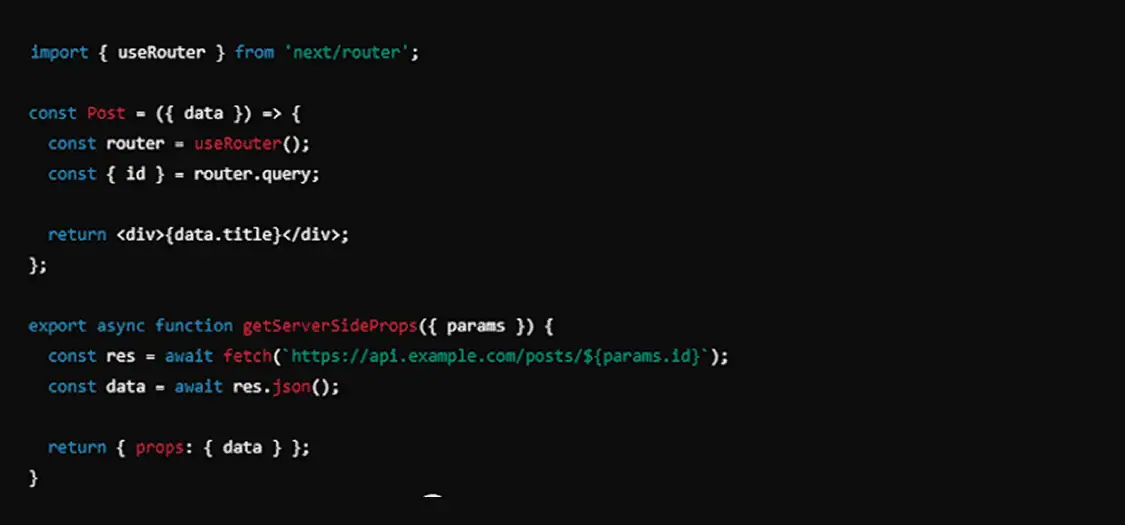
Next.js supports dynamic routing, enabling the creation of pages based on URL parameters. This is particularly useful for building applications with user-generated content or e-commerce platforms.
3. Middleware
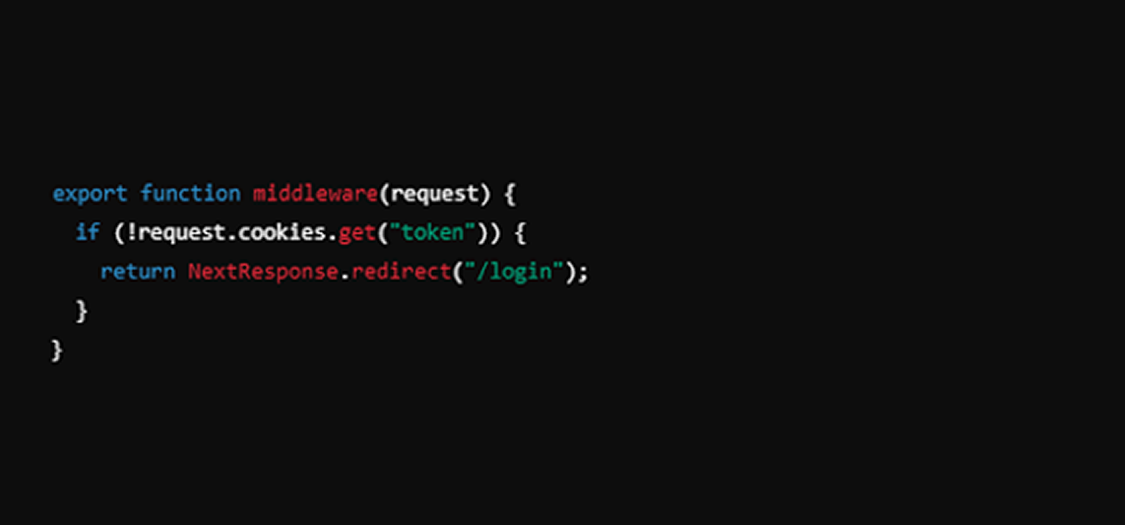
Next.js middleware allows you to run code before a request is completed. This can be used for tasks like authentication checks or redirects.
4. API Routes
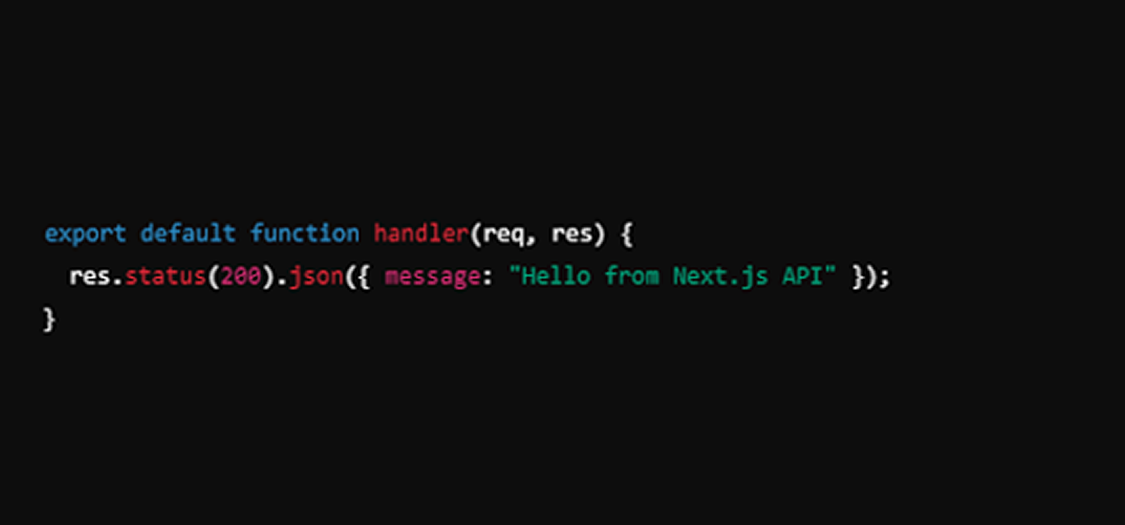
Next.js provides API routes to create serverless functions. This can be beneficial for handling server-side logic without needing a separate backend.
Implementing Server-Side Rendering in Next.js
Step 1: Set Up Your Next.js Project
Firstly, create a new Next.js application:

Step 2: Create a Page with SSR
Make a new file under the pages directory (e.g., pages/posts/[id].js) and implement the SSR logic using getServerSideProps.

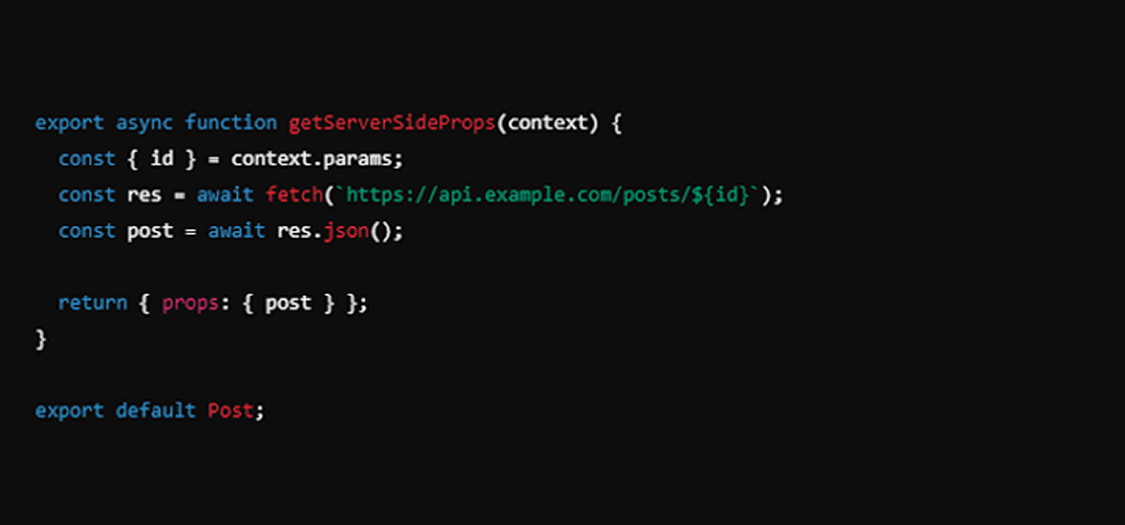
Step 3: Fetching Data
Utilize getServerSideProps to fetch data from an external API or database. This function runs on the server for every request to that page.
Step 4: Testing Your Implementation
Start your Next.js application and navigate to the server-rendered page. You should see the fetched data displayed immediately.

Step 5: Deploy Your Application
Once you’re satisfied with the implementation, deploy your Next.js application to a hosting provider like Vercel, which optimally supports Next.js features.
Benefits of Using Next.js for SSR
- SEO-Friendly: As previously mentioned, server-side rendering significantly enhances your SEO capabilities.
- Scalability: Next.js can easily scale your application, enabling you to handle increased traffic without a hitch.
- Rich Ecosystem: With Next.js, you can easily integrate headless CMS solutions, allowing for flexible content management.
Conclusion
Implementing server-side rendering in Next.js offers a powerful way to create high-performance, SEO-friendly web applications.
Whether you're considering using Next.js for a new project, looking to optimize an existing application, or planning to hire Next.js developers, its flexibility and performance make it an excellent choice.
If you want to harness Next.js's full potential, consider partnering with Saffron Tech. Our Next.js services can help you implement SSR and other advanced features, ensuring your application stands out in the competitive digital landscape.
He has been an integral part of the tech department at Saffron for the last 7 years in the capacity of a Project Coordinator. With a strong educational background in graphics and computers, he has been instrumental in seamless conduction of multiple technical projects. Throughout his career, Praveen has demonstrated an exceptional ability to oversee and streamline project activities, ensuring efficient execution and optimal resource utilization. With his strong project management skills and attention to detail, he has consistently ensured smooth coordination and efficient delivery of projects.
His technical acumen and attention to detail enable him to navigate intricate project requirements and deliver innovative solutions. He remains up-to-date with the latest industry trends and emerging technologies, leveraging this knowledge to drive continuous improvement in project execution. With a focus on delivering successful outcomes, he ensures that projects are delivered within budget and meet or exceed client expectations.
Frequently Asked Questions


